
Live Map
Real-time crew positions across active job sites with a privacy-compliant 60-second delay, 5-meter geofence precision, and dispatcher tools built for field ops.
Updated May 29, 2026
The Live Map is the dispatcher’s home screen. It shows every active crew member and job site in near real time, with a privacy-compliant display delay. For multi-site operators, it replaces a stack of phone calls with a single screen. Available on Pro and Enterprise — see pricing.
What you see
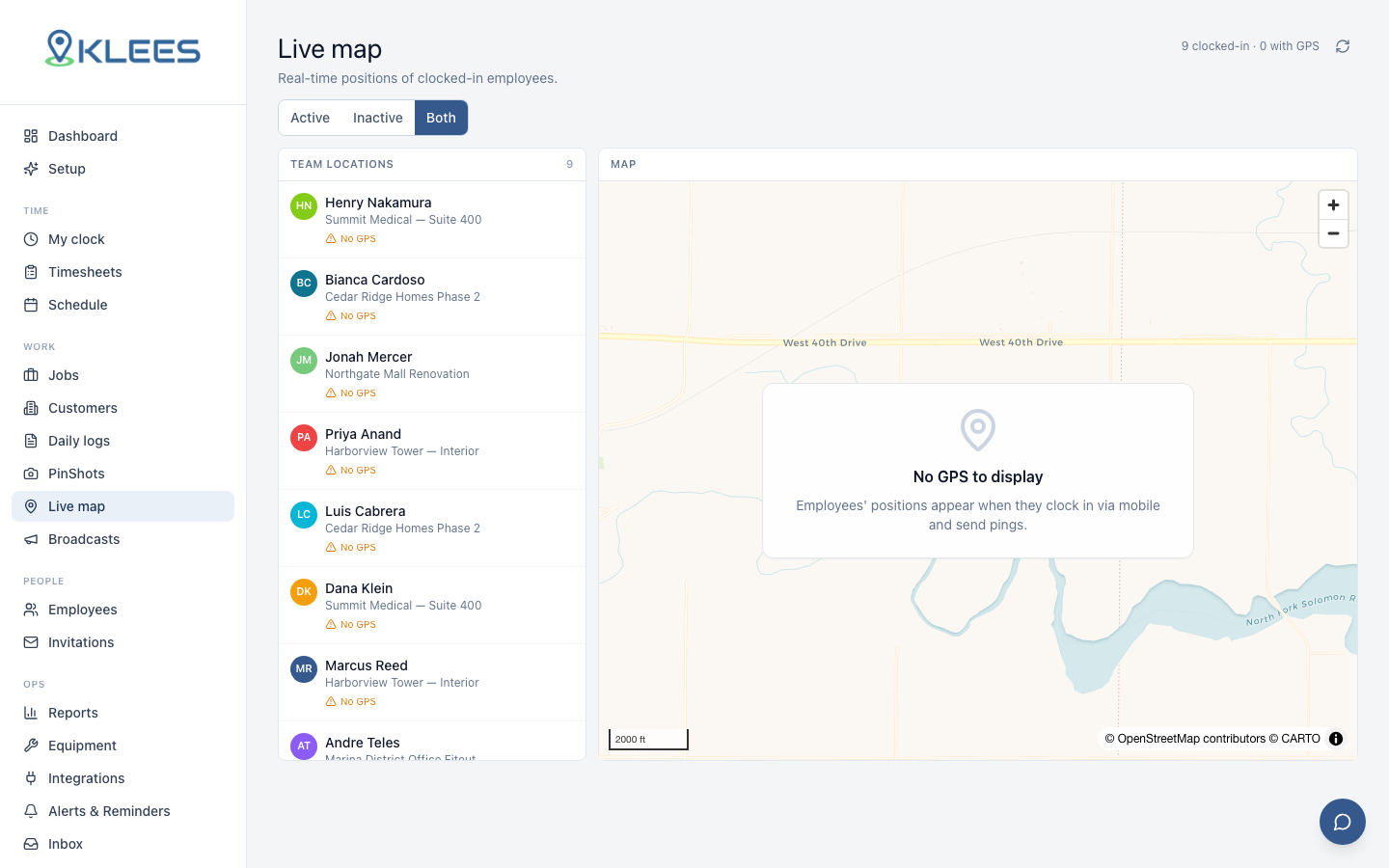
Open Live Map and you get a full-screen map of your operating area with:
- Job site pins — every active job with its geofence as a circle
- Crew markers — each clocked-in worker
- Status colors — green inside fence, amber outside, red on alert
- Clusters — multiple workers at one site collapse into a count badge
Click a job pin to see the full crew on-site, planned vs actual headcount, and recent clock-ins. Click a worker for their job, cost code, time on shift, last GPS fix, and flags.
The 60-second privacy delay
Live Map positions are deliberately delayed by 60 seconds before display — a non-negotiable privacy guardrail on the standard configuration. A real-time tracker feels like surveillance and erodes trust; a 60-second delay is plenty for dispatch (“is the truck on site yet?”) without enabling micro-tracking. Enterprise customers can tune the delay (30s to 5min) with documented business justification.
Geofence precision
Live Map uses each job’s geofence — see Jobs and Customers. Markers turn green inside the fence, amber outside.
| Precision | Typical accuracy | Plans |
|---|---|---|
| Standard | 10–15 meters | Standard |
| High | 5–8 meters | Pro, Enterprise |
| Ultra | 3–5 meters | Enterprise |
Higher precision draws more battery, so Klees defaults to standard and lets you escalate per job. For most field-ops, standard reliably distinguishes “on the loading dock” from “across the street at the coffee shop.”
Dispatcher tools
The Live Map is built for the dispatcher’s workflow:
- Find a worker — search by name, jump to position
- Find a job — search by job or customer, jump to site
- Filter by state, region, or crew
- Cluster expand — zoom in to break apart same-site clusters
- Send a bilingual message to a worker or whole crew
- Flag a job — mark a site in trouble; visible org-wide
The message-the-crew tool is the most-used button. Dispatcher tells the foreman “your customer just called, start with the lobby” — message lands on every crew phone in their language. See Languages and Localization.
After-the-fact route review
Pro and Enterprise store a low-frequency GPS trail (a point every 2–3 minutes) for after-the-fact review. It surfaces on the time entry as a draggable timeline — useful for investigating customer complaints, reviewing actual delivery routes, and validating off-fence flags. Trail retention matches the time entry’s audit record. Off-shift GPS is never captured.
What the worker sees
Workers see a simpler version: the job they’re clocked into, their own GPS marker, the geofence, and (on Pro+) other crew on the same site. They do not see workers on other sites or the dispatcher view. This asymmetry is deliberate.
Privacy posture
Short summary:
- Location captured only while clocked in; off-shift never recorded
- Display delayed by at least 60 seconds
- Trail is low-frequency (every 2–3 minutes), not continuous
- Persistent indicator shows when location is being captured
- Workers can review their own location history
- Deletion on offboarding clears all records on request
Full security stance: Security and Compliance.
Setup
Live Map is on by default for Pro and Enterprise. Standard sees a static job map — see pricing. From Settings → Live Map: set default precision, display delay (Enterprise only), which roles can view (see Roles and Permissions), and whether the message-the-crew tool is on per role. By default Owner, Admin, and Manager see Live Map; Foreman sees own crew; Crew sees self plus same-site peers.
A common dispatcher pattern
The dispatcher leaves Live Map open on a second monitor. Every shift change they scan for amber and red markers and tap into anomalies. A full sweep takes about 90 seconds per hour for a 60-person, 15-site operation. Compared to phoning each foreman, the time savings compound fast.