
Scheduling and Shifts
Build weekly schedules, publish shifts, send bilingual mobile reminders, and catch conflicts before they cost a shift — the Klees scheduling workflow
Updated May 29, 2026
Klees scheduling is built for crews that rotate between job sites week to week. It’s a weekly drag-and-drop grid that publishes to mobile, sends reminders in the worker’s language, and flags conflicts before they cost a shift.
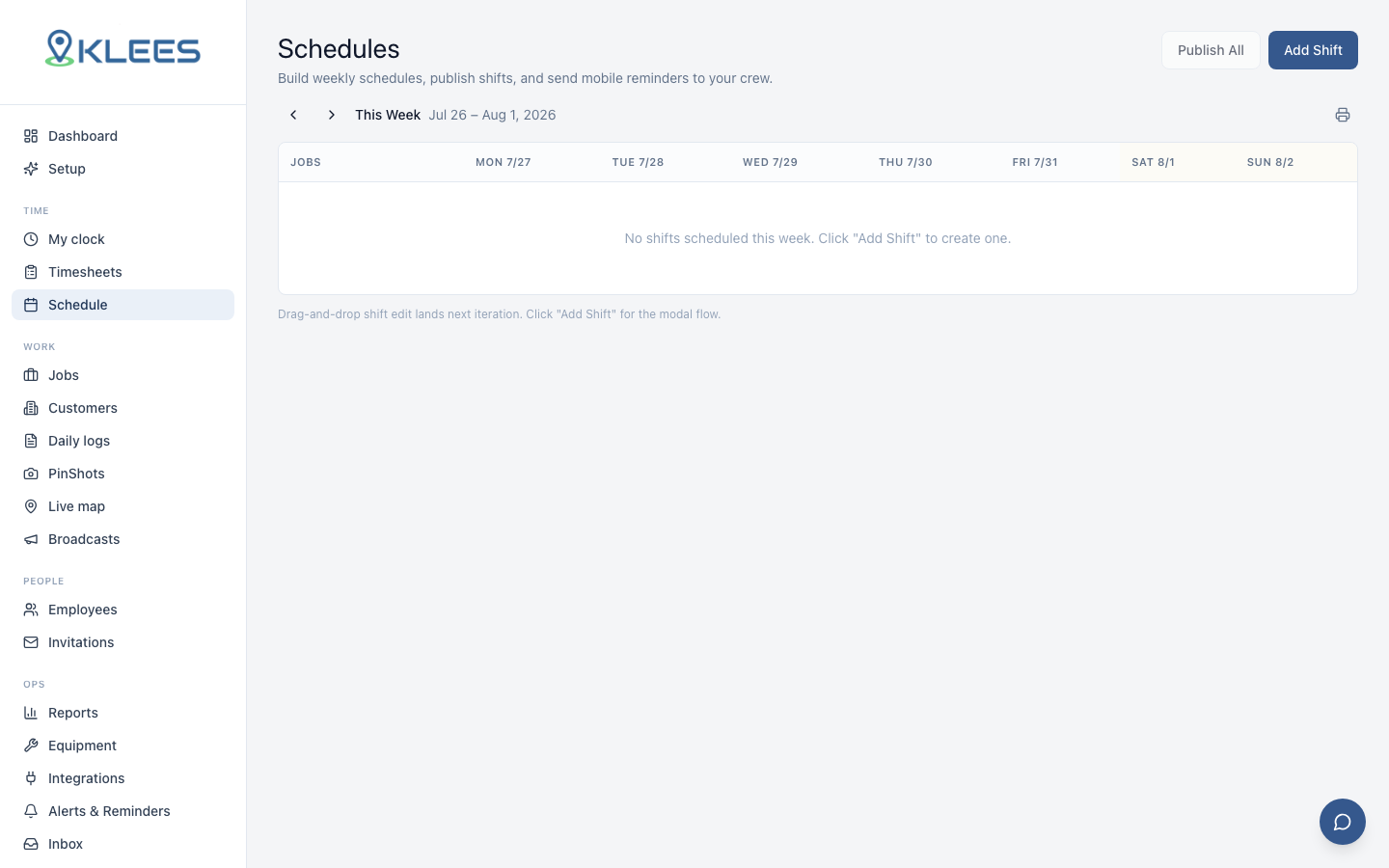
Scheduling is optional — many customers run pure on-demand — but for teams with predictable rotations it cuts no-shows, reduces clock-in errors, and gives the office a clear picture of the week.
The weekly grid
The schedule view is a 7-day grid with crew members as rows and days as columns. You can switch the grid orientation: by person (default), by job, or by date for a list view.
To add a shift:
- Click a cell or drag across multiple cells
- Pick a job (defaults to the most recent job for that person)
- Set start and end time
- Pick a cost code if the job has them
- Save
The new shift appears in draft state — visible to managers but not yet pushed to the worker’s phone.
Drag, drop, copy, paste
The grid supports the usual moves: drag a shift to move it, resize edges for start/end, copy and paste, and Copy Week to duplicate the full week — common for stable rotations. A 30-person schedule for the following week usually takes under 10 minutes built this way.
Conflict warnings
Klees flags conflicts before you publish:
- Double-book — same person, overlapping shifts on different jobs
- Over hours — weekly total exceeds a configured cap (e.g., 50)
- Approved time-off — shift falls on a requested-off day
- Travel impossible — back-to-back shifts at locations too far apart
Conflicts show as colored badges. You can override by clicking the badge and confirming.
Publishing
Draft shifts are not visible to the crew. To make them live, click Publish at the top of the grid. Klees runs a final conflict check, then:
- Pushes a notification to each affected worker in their preferred language
- Updates the worker’s mobile schedule view
- Sends a daily reminder the morning of the shift
- Sends a 30-minute reminder before the shift starts (configurable)
You can publish per-shift (push a single change live without re-publishing the whole week) or publish-all to push the full week at once.
Shift swaps and time-off
Workers request time-off (date range, reason) or shift swaps with eligible coworkers. Managers approve or deny in the inbox. Approved time-off blocks future scheduling; approved swaps update both grids and re-send notifications. Swaps default to “same role, same site” — see Roles and Permissions.
Multi-language reminders
Every notification ships in the worker’s preferred language. A Spanish-primary worker gets “Tu turno empieza en 30 minutos en Maple St” rather than the English string. Bilingual reminders cut the dispatcher-call-rate substantially in mixed-language crews. See Languages and Localization.
Repeating shifts
For predictable rotations — overnight cleaning, weekly delivery routes, Monday-Thursday framing — Klees supports repeating shifts:
- Create a shift
- Click Repeat
- Pick a frequency: daily, weekly, biweekly, custom
- Set an end date or “until further notice”
Repeating shifts auto-publish on a rolling 4-week horizon. You can edit a single instance without breaking the series.
Integration with clock-in
A published shift unlocks the assigned job in the worker’s mobile app at the scheduled start time minus a configurable buffer (default 15 minutes). If the worker clocks in earlier, Klees prompts a confirmation and flags the early start on the timesheet. See Time Tracking Basics for the full clock-in flow.
If the worker is a no-show — no clock-in by the start time plus a buffer (default 10 minutes) — Klees notifies the manager. This single signal catches most no-shows in time to backfill.
Schedule-to-payroll flow
Scheduled and actual hours often diverge — that’s normal. Klees runs payroll off actual time entries, not the schedule. The variance report in Reports and Exports shows scheduled vs actual by person, job, and week, and helps catch chronic over- or under-run.
A note on plans
The full scheduling grid is available on Standard and up — see pricing. Pro adds travel-time and time-off conflict detection; Enterprise adds bulk publish, multi-site templates, and SSO-aware approval routing.